
Table of Contents
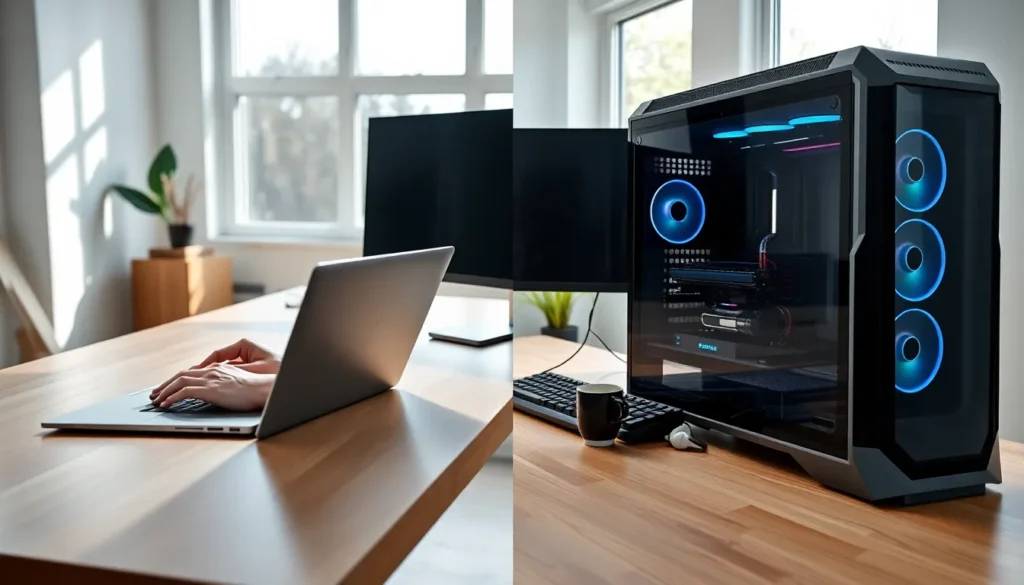
ToggleLaptops vs desktops remains one of the most common debates for anyone buying a new computer. Both options have clear strengths, and the right choice depends on how you plan to use your machine. Laptops offer mobility and compact design. Desktops deliver raw power and easy upgrades. This guide breaks down the key differences between laptops vs desktops across portability, performance, price, and longevity. By the end, you’ll know exactly which option fits your lifestyle and budget.
Key Takeaways
- Laptops vs desktops comes down to portability versus power—laptops win for mobility, while desktops deliver superior performance at the same price.
- Desktops offer better value dollar-for-dollar, but remember to factor in the cost of monitors, keyboards, and mice when comparing total ownership costs.
- Desktop upgradability allows machines to last 7–10 years, while laptops typically remain useful for 4–6 years with limited upgrade options.
- For everyday tasks like browsing and document editing, both laptops and desktops perform equally well—performance gaps only matter for power users.
- Choose a laptop if you travel frequently or need flexibility; choose a desktop if you prioritize maximum performance, upgrades, and ergonomic comfort.
- A hybrid approach—powerful desktop at home plus budget laptop for travel—gives you the best of both worlds.
Portability and Convenience
The biggest advantage laptops have over desktops is portability. A laptop fits in a backpack. Users can work from coffee shops, airports, or their couch. This flexibility matters for students, remote workers, and frequent travelers.
Desktops, on the other hand, stay in one place. They require a dedicated desk, monitor, keyboard, and mouse. Moving a desktop setup takes real effort. For anyone who needs computing power on the go, laptops vs desktops isn’t even a close contest, laptops win.
Battery life adds another layer of convenience. Modern laptops run 8 to 12 hours on a single charge. Users aren’t tethered to power outlets. Desktops need constant power, which limits where they can operate.
That said, desktops offer ergonomic advantages. Larger monitors reduce eye strain. Full-size keyboards and mice feel more comfortable during long work sessions. For users who work primarily from home or an office, desktops provide a more comfortable experience.
Performance and Power
Desktops consistently outperform laptops at the same price point. The reason is simple: desktops have more space for powerful components. They can house larger processors, better cooling systems, and dedicated graphics cards.
For gamers, video editors, and 3D designers, this performance gap matters. A desktop with a high-end GPU handles demanding tasks that would make a similarly priced laptop struggle. Heat management plays a big role here. Desktop cases allow for multiple fans and liquid cooling. Laptops cram everything into a thin chassis, which limits cooling options.
But, the laptops vs desktops performance gap has narrowed significantly. Apple’s M-series chips and AMD’s latest mobile processors deliver impressive power in portable form factors. A 2024 MacBook Pro or high-end Windows laptop can handle most professional workloads without issue.
For everyday tasks like web browsing, email, and document editing, both laptops and desktops perform equally well. The average user won’t notice a meaningful difference. Performance only becomes a deciding factor for power users with specific demands.
Price and Value Comparison
Dollar for dollar, desktops offer better value. A $1,000 desktop delivers more computing power than a $1,000 laptop. Desktop components cost less because manufacturers don’t need to miniaturize them.
Consider a basic comparison. A $700 desktop might include a 6-core processor, 16GB RAM, and a dedicated graphics card. A $700 laptop typically comes with integrated graphics and less powerful components. The laptops vs desktops value gap grows wider as budgets increase.
But price isn’t just about specs. Laptops bundle everything together, screen, keyboard, trackpad, speakers, and battery. Desktop buyers often need to purchase a monitor, keyboard, and mouse separately. These extras add $200 to $500 to the total cost.
Long-term costs also differ. Desktop repairs are cheaper and easier. Laptop repairs often require specialized tools and expensive parts. A broken laptop screen might cost $300 to replace. A broken desktop monitor? Just buy a new one for $150.
When comparing laptops vs desktops on price, buyers should calculate total ownership costs, not just the sticker price.
Upgradability and Longevity
Desktops excel at upgradability. Users can swap out graphics cards, add more RAM, install faster storage, and replace processors. A five-year-old desktop can feel new again with a few component upgrades.
Laptops offer limited upgrade options. Most modern laptops have soldered RAM and storage. Users can’t change these components after purchase. Some gaming laptops allow RAM and SSD upgrades, but that’s about it. The CPU and GPU stay fixed for the laptop’s entire lifespan.
This difference affects longevity. A well-maintained desktop can last 7 to 10 years with periodic upgrades. Laptops typically remain useful for 4 to 6 years before they feel outdated or develop hardware issues.
Battery degradation adds another concern for laptops. After 2 to 3 years, most laptop batteries hold significantly less charge. Replacement batteries cost $50 to $150, and installation can be tricky on some models.
For users who want a machine that grows with their needs, the laptops vs desktops debate favors desktops. For users who replace their computers every few years anyway, laptops work fine.
Choosing Based on Your Needs
The laptops vs desktops decision comes down to personal priorities. Here’s a quick breakdown:
Choose a laptop if you:
- Travel frequently or work from multiple locations
- Need a computer for college or school
- Have limited space at home
- Prioritize convenience over raw performance
- Use your computer primarily for everyday tasks
Choose a desktop if you:
- Work primarily from one location
- Need maximum performance for gaming, video editing, or design
- Want to upgrade components over time
- Prefer larger screens and ergonomic setups
- Want the best value for your budget
Some users find a hybrid approach works best. They buy a powerful desktop for home use and a budget laptop for travel. This setup maximizes both performance and portability.
Gamers face a unique version of this choice. Gaming laptops exist, but they cost more than equivalent desktops. They also run hotter and louder. Serious gamers usually prefer desktop setups. Casual gamers can get by with a mid-range gaming laptop.
For creative professionals, the answer depends on workflow. Photographers and writers often prefer laptops for on-location work. Video editors and 3D artists typically need desktop power.


